



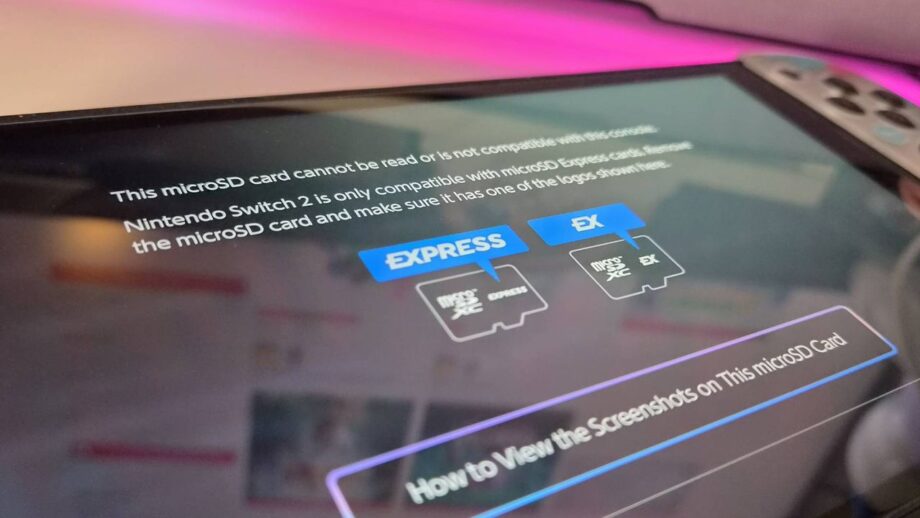
My PNY 1TB Express microSD card, which I use for game files and screenshots on the Switch 2, suddenly stopped being recognized over the weekend. The console displayed a ‘cannot be read’ error, even though the card worked perfectly earlier in the year.
How to Fix PNY microSD Express 2 Card Switch Incompatibility Error
(Image credit: Future/Rosalie Newcombe)
- Get a microSD Express card reader for your PC
- Insert the card reader with the carried card into your PC or laptop
- Go to PNY microSD Express Firmware Update Page
- Click the ‘Firmware Update’ button
- Run the program on your PC
- Select the ‘Update FW’ button in the updater
- Safely eject your microSD Express card
(Image credit: Future/Rosalie Newcombe)
The official PNY firmware update launched on June 17 and was announced on X (Twitter). PNY recommends using its Performance Prime card reader for the best experience, priced at $14.99 on Amazon, though any compatible reader will work.
A Reddit thread on r/NintendoSwitch 2 showed that after the 22.0.0 console update, several 1TB PNY cards became incompatible, a problem reported by multiple users months earlier.
I normally update my Switch 2 as soon as a new firmware arrives, so it was surprising my card survived the 22.0.0 update. I believe the 23.0.0 update released on September 10 caused the failure, just before I took the console to a friend’s house.
The firmware fix restored my data, but the scare reminded me to back up screenshots regularly, especially with upcoming titles like Fire Emblem Fortune’s Weave and the Zelda Ocarina of Time remake.
- See all Switch 2 microSD Express cards on Amazon
New to Switch 2? Check out the best Nintendo Switch headsets, the best Nintendo Switch 2 controllers, and the best Nintendo Switch 2 cases while you’re here.
