



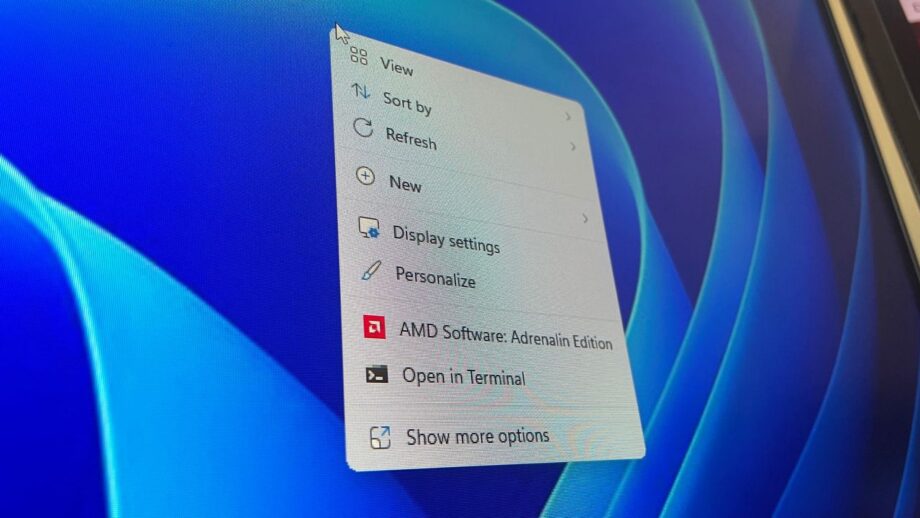
Microsoft Enhances Windows 11 File Explorer and Context Menu
Recent Insider builds of Windows 11 are bringing noticeable upgrades to two long‑standing pain points: File Explorer and the context menu. Microsoft says the new features will first appear for internal testers and then roll out to the public version, promising a smoother, more reliable experience for everyday users.
File Explorer receives a series of stability and usability fixes. The update eliminates dozens of potential crashes and freezes, meaning users will encounter fewer stutters when browsing folders, renaming files, or selecting multiple items. Additional tweaks include expanded support for address bar entries, a middle‑click option to open the address bar, integration with home‑page folders, and file‑size display using appropriate units such as KB, MB, or GB.
The context menu gets a major overhaul. Users can now choose to display the primary commands — Cut, Copy, Paste, Rename, Delete, and Share — directly inline instead of as a row of icons, and they can move the Properties option to the bottom for easier access. Microsoft notes that the menu will appear faster, reducing the delay between right‑clicking and having the menu ready for use. A “Customize Menu” shortcut at the bottom of the new menu lets users adjust the layout to match their habits or muscle memory.
These changes reflect Microsoft’s commitment to making core Windows 11 components efficient, functional, and easy to use. By addressing long‑standing frustrations, the company is living up to its earlier promise to prioritize performance and usability, ensuring that Windows 11 becomes a more pleasant platform for both casual and power users.
