



In summary
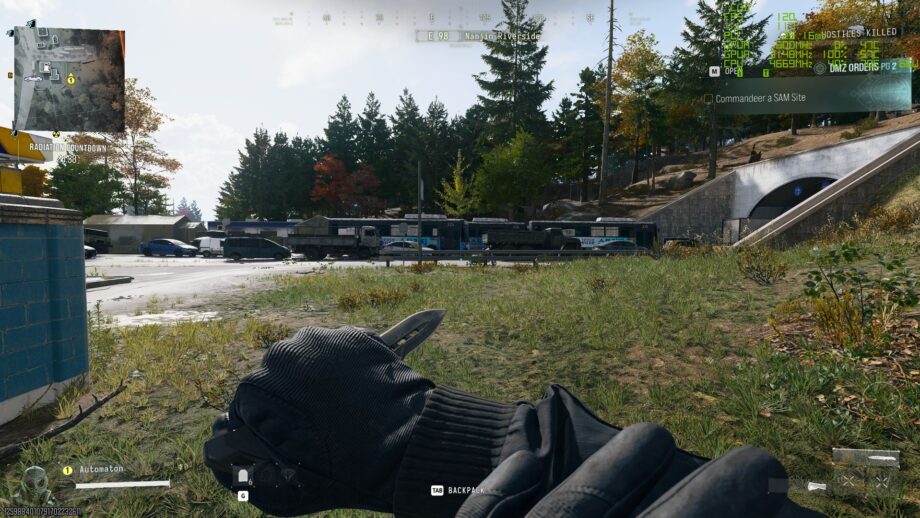
The RTX 3060 Ti can reach nearly 100 fps at 1440p with the Balanced preset and DLSS quality upscaling, and exceeds 100 fps at 1080p, though a 24‑inch screen is recommended for the higher frame rate.
Performance at 1440p
Using an RTX 3060 Ti paired with a Ryzen 7 7800X3D and 32 GB DDR5, the card struggles to hit 90 fps even at the Minimum preset in native 1440p. The Balanced preset delivers the best value, offering around 64 fps on average, while Ultra drops to roughly 48 fps. Enabling DLSS in Quality mode with the Balanced preset lifts the average to about 97 fps, making the experience very playable.
Resolution and Upscaling Options
If you own a 27‑inch 1440p monitor, stick with 1440p and DLSS; the image stays sharp and frame rates stay in the 80‑95 fps range in DMZ. Dropping to 1080p on a 24‑inch monitor or using native 1080p with DLSS can push averages to 110‑130 fps, but the higher resolution with DLSS preserves visual clarity.
Recommended Settings
For a 27‑inch 1440p display I would use 1440p resolution, DLSS (CNN) quality upscaling and the Balanced preset. On a 24‑inch 1080p monitor, keep the same DLSS quality and Balanced preset while running at 1080p. Avoid the Minimum preset, as it severely hurts visual fidelity, and consider setting detail quality to High to improve texture sharpness.
Final Thoughts
The RTX 3060 Ti proves to be a solid choice for Call of Duty: Modern Warfare 4, delivering smooth gameplay at high frame rates when DLSS is enabled. While older hardware may struggle, the combination of Balanced preset and quality DLSS ensures a consistently enjoyable experience.