



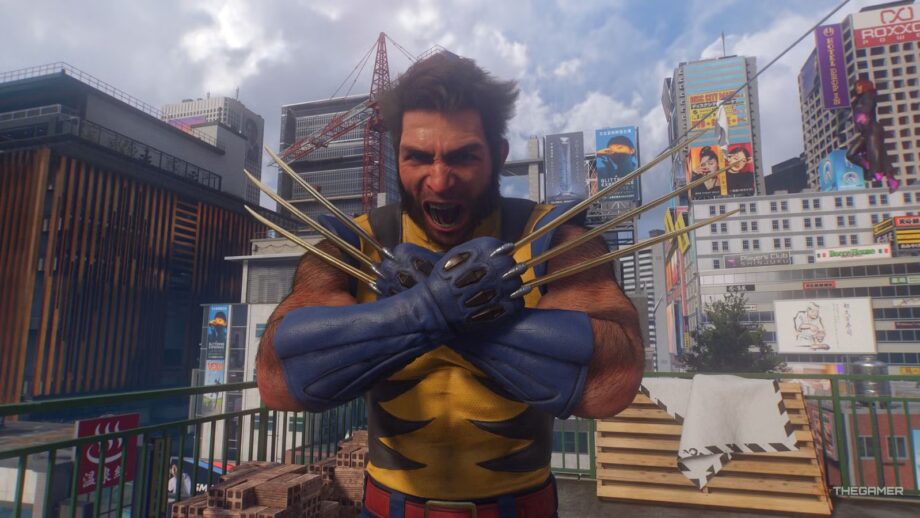
Marvel’s Wolverine Suits and How to Remove Headpieces
Just like the Spider‑Man games, Marvel’s Wolverine shines because of the many suits you unlock, ranging from the iconic Battle Reborn to classic looks such as Ultimate Yellow.
Most of the costumes include a headpiece — whether a cowl, a hat, or an eyepatch — so you may want to see Logan’s face. The game actually lets you remove that accessory.
How To Remove The Cowl Or Headpiece
The option isn’t obvious, but you can take off the cowl or other head gear from many suits, giving you a clearer view of Logan’s face and enhancing cutscenes that rely on detailed motion capture.
Without the cowl, many suits look sharper; for example, the Incredible outfit changes from a goofy throwback to a sleek, powerful appearance.
To remove the headpiece, open the Suit menu, pick the suit you want, and press the Triangle button to “remove cowl.” This will unequip the helmet, cowl, hat, or eyepatch currently attached to the outfit. Most suits only have a helmet or cowl, but some include a hat or eyepatch that will also be removed.
