

If you want to survive the dangerous, chaotic matches of Hell Let Loose: Vietnam, you’ll need good aim, great teamwork, and communication. The latter is perhaps the most important part of any game, as talking to your fellow players makes way more of a difference than in other shooters such as Battlefield.
Where voice chat differs from traditional multiplayer games is that there are a few channels in which you can talk to people depending on your role. Here is what you need to know about how the radio works, the different channels, and using the voice chat feature in general.
Radio Channels Explained
In Hell Let Loose: Vietnam, there are three different radio channels you can use. These are Proximity (blue), Unit (green), and Leadership (red). To use the radio, hold down the left bumper if you’re on a controller or use the V key for Proximity, L key for Unit, and K key for the Leadership. Obviously, the keys can be changed to suit your personal preference if these are too awkward for you in the heat of battle.
The Proximity radio channel allows you to speak to all allies, regardless of whether they’re in your squad or not, who are near you. Contrary to what the name suggests, this does not mean proximity chat as you’d find in other genres such as extraction shooters. Whenever you use the Proximity setting, only your nearby allies will hear you and not any close-range enemies.
There is no way to voice chat with anyone on the enemy team, so don’t worry about accidentally broadcasting key information in the heat of the battle. Keep in mind, if you’re on console (or using a controller on PC), the channel will stay on Proximity until you manually change it. Proximity chat is fantastic for battles where multiple squads are involved, as it allows you to point out key targets or enemy emplacements for everyone.
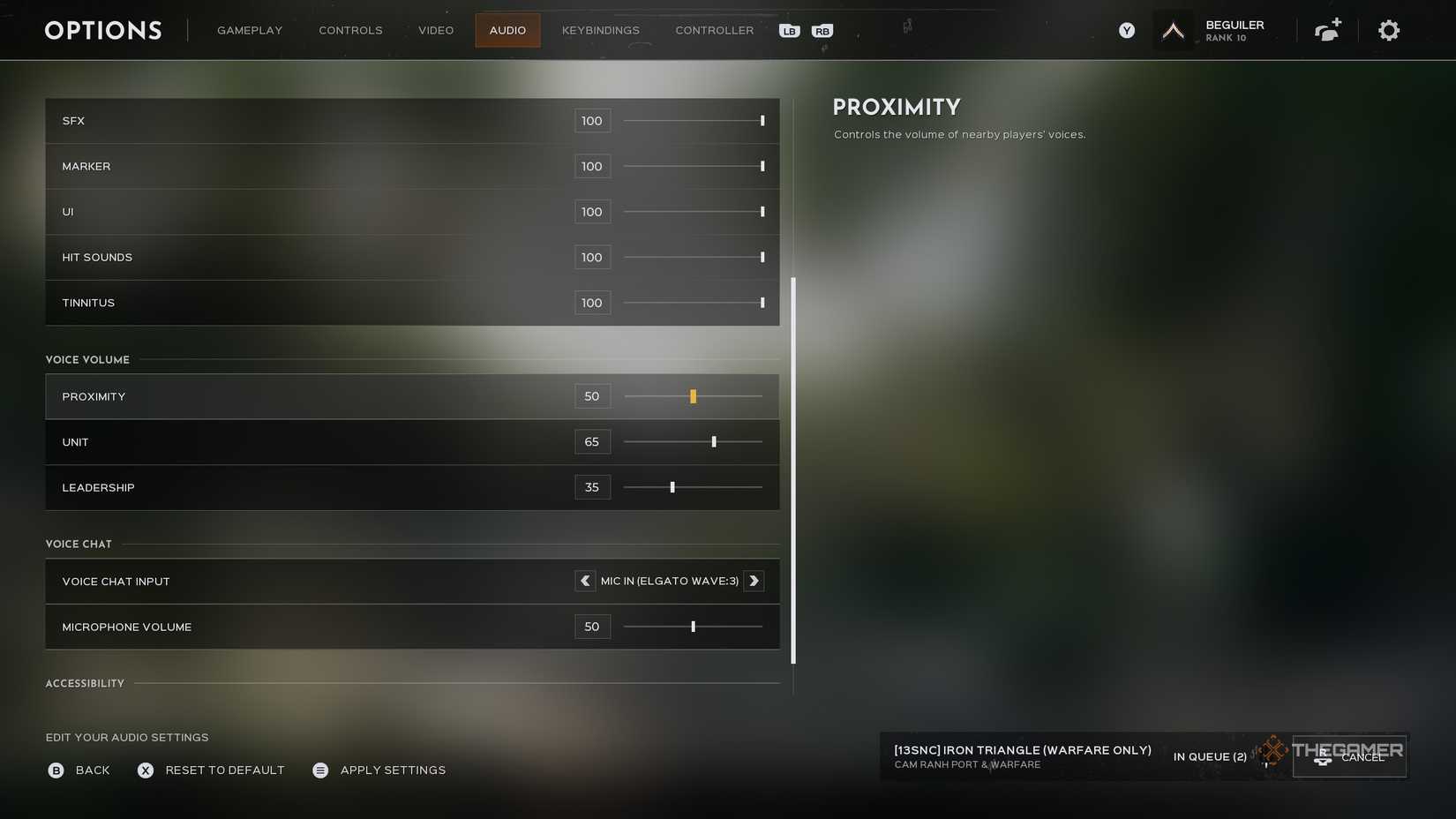
Make sure to also use Proximity chat if you are downed. This allows you to call out for a medic, even if one isn’t in your unit.
Unit chat is solely for the six people in your squad. This is color-coded light green, and there is no range requirement like Proximity chat. This means it doesn’t matter if you’re one foot or one mile away; everyone can be heard clearly, and you can use this to coordinate better with your teammates. Speaking to your Unit is the default chat and will be the one you mostly use during your time playing Hell Let Loose: Vietnam.
Finally, Leadership chat is only for Commander and Squad Leaders on your team. Unlike Proximity or Unit, most players will not have access to this, so you won’t need to worry about it. If you are a Squad Leader, however, this will be the main way you communicate with other Squad Leaders and your team’s Commander.
The people who can use the Leadership channel are:
- Commander
- Squad Leader
- Spotter
- Tank Commander
- Logistics Officer
- Observer
This channel is critical, as it allows people who are actually in combat to ask their leader for assistance and give them direct information on how the overall match is unfolding. If you’re a Squad Leader, it’s largely expected that you will communicate with other members on your team in some fashion.

How To Use Push-To-Talk
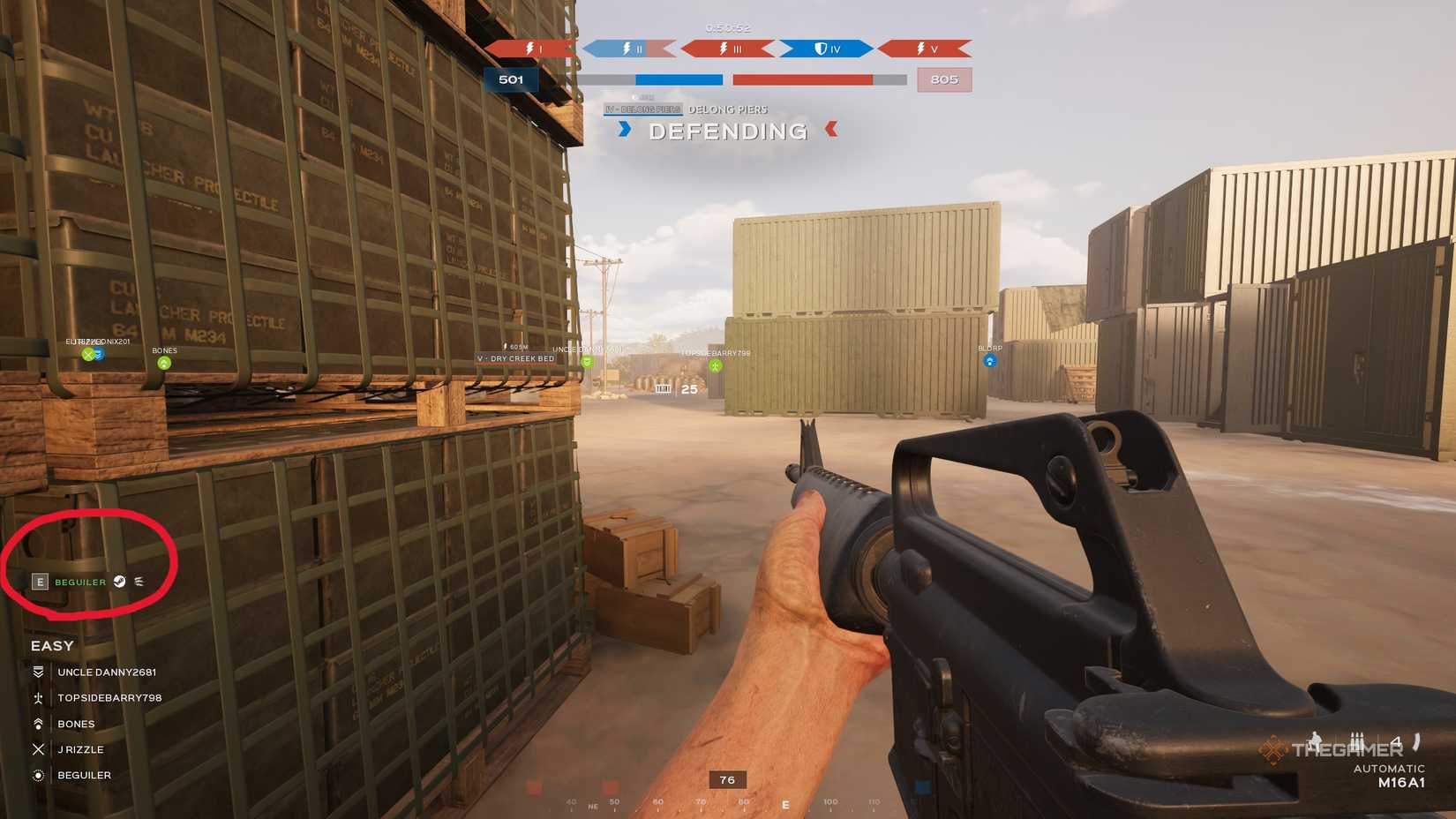
Push-to-talk is enabled by default for both PC and console users. If you’re on keyboard, the push-to-talk feature will be pretty routine for anyone who plays multiplayer games. Just hold down the specific key for the channel you want to use and walk into your mic to broadcast whatever you want to say. Meaning, if you want to talk to your squad, you’ll need to hold down the L key whenever you want to talk to your Unit.
For controller players, this is a feature you don’t see as much. To enable push-to-talk, just press the left bumper in match to toggle it on or off. If you want to turn push-to-talk on, look for your name with three white lines at the end in the bottom-left part of your screen (shown above). When you see your name on screen, it means you are currently on an open mic, and speaking will allow people to hear you.
Hitting the left bumper again will cause your name to vanish, muting your mic, allowing you to not flood the channel with background noise. Always try to keep your mic open only in heated fights where you need to communicate quickly, or if you are going to talk; otherwise, it’s better to just remain muted.