


How to access GTA 6’s accessibility options
Grand Theft Auto 6 attracts a wide range of players, from casual gamers who just want to explore the world to seasoned veterans. Those who are less experienced may find the standard difficulty, mechanics, or controls frustrating, but the game includes accessibility features that can be enabled right from the start.
These options are not cheats; they don’t require completing tasks or beating the game to unlock. They’re designed for anyone who struggles with the default settings. However, adjusting some options can change the game’s balance and affect enjoyment.
Unlike cheats, these features don’t disable trophies or achievements, and they don’t prevent saving.
©Rockstar Games / Kotaku
To reach the settings, pause the game and scroll all the way down to the Settings menu. Then press RB or R1 to open the Gameplay section.
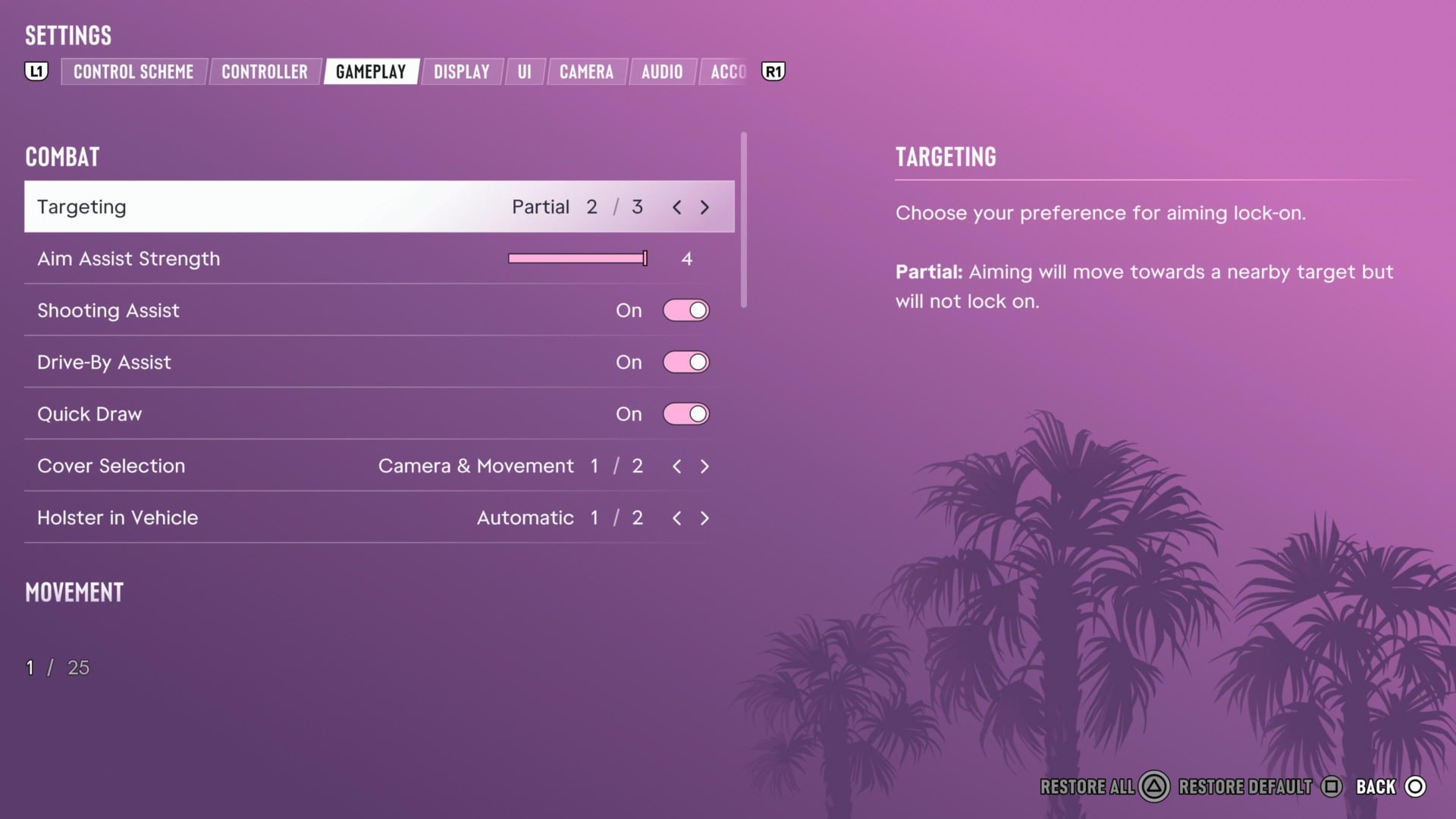 ©
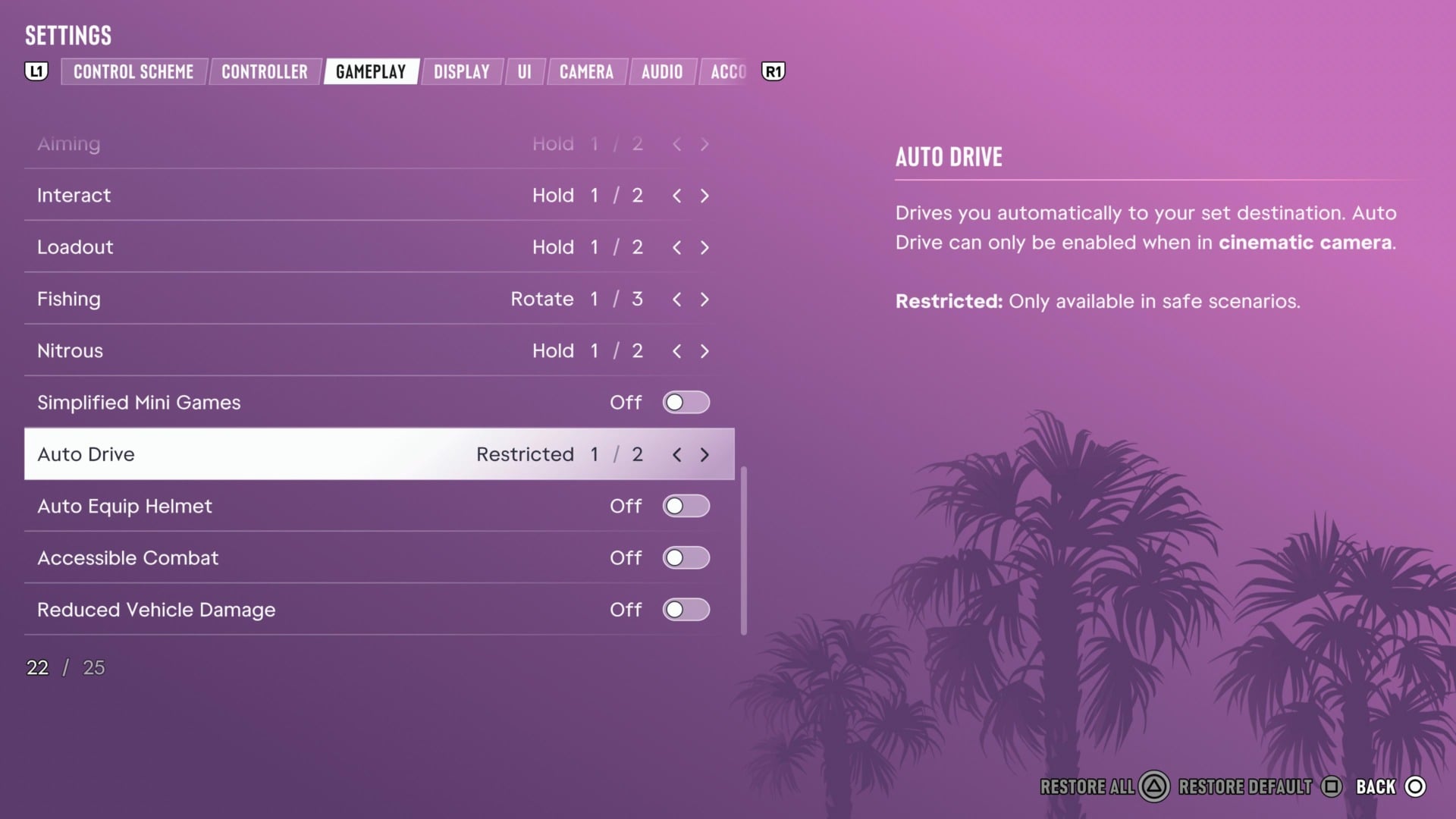
From here, scroll down to the bottom under “Accessibility” to see multiple options. The ones you’ll probably most want to pay attention to are those for Simplified Mini Games, Auto Drive, Accessible Combat, and Reduced Vehicle Damage.
Simplified Mini Games makes activities such as exercising, hotwiring vehicles, and shooting hoops easier by reducing the need for precise timing or fine analog control.
Auto Drive lets the game handle driving for you. You can enable it for leisurely trips to missions, or set it to Unrestricted to keep the AI driving even while being chased. Note that the AI may still crash into objects or other cars, so it’s not a guarantee of flawless driving.
 ©Rockstar Games / Kotaku
The two big ones, Accessible Combat and Reduced Vehicle Damage, get their own warnings: The game wasn’t built with this in mind. That means you can turn them on, but things will become significantly easier. If you activate these options without needing them, you may start getting bored playing GTA 6.
Accessible Combat lowers enemy health and reduces damage taken by the player, making fights less punishing.
Reduced Vehicle Damage means your car is more resilient in collisions and shootouts, so a T‑Bone or two won’t render it inoperable.
If you encounter control issues, check the accessibility options; many can be tweaked to make specific actions more comfortable. Use whatever helps you enjoy and progress through the game.