
By using this site, you agree to the Privacy Policy and Terms of Use.
Accept
Gamers Illustrated
  • Home
  • Gaming News
  • Game Reviews
  • Industry News
  • More
    • Opinions
    • Gaming Hardware
    • Trending
    • Guides & Tips
    • Entertainment
    • Features
    • Videos
Reading: Where to Hide Your Secondary Name in World of Warcraft Forever
Font ResizerAa
Gamers IllustratedGamers Illustrated
  • Entertainment
  • Features
  • Game Reviews
  • Gaming Hardware
  • Gaming News
  • Guides & Tips
  • Industry News
  • Opinions
  • Trending
  • Videos
Search
  • Home
  • Gaming News
  • Game Reviews
  • Industry News
  • More
    • Opinions
    • Gaming Hardware
    • Trending
    • Guides & Tips
    • Entertainment
    • Features
    • Videos
Warhammer Survivors: Unlock All Weapons and Passives Now

Warhammer Survivors: Unlock All Weapons and Passives Now

Gamers Illustrated Gamers Illustrated November 14, 2026
  • About Us
  • Contact Us
  • Terms & Conditions
  • Privacy Policy
© Copyright 2026. All Rights Reserved By Gamers Illustrated.
Gamers Illustrated > Blog > Guides & Tips > Where to Hide Your Secondary Name in World of Warcraft Forever
Guides & Tips

Where to Hide Your Secondary Name in World of Warcraft Forever

Gamers Illustrated
Last updated: November 7, 2026 8:07 am
By Gamers Illustrated 2 Min Read
Share
Where to Hide Your Secondary Name in World of Warcraft Forever
SHARE

How To Hide Your Secondary Name

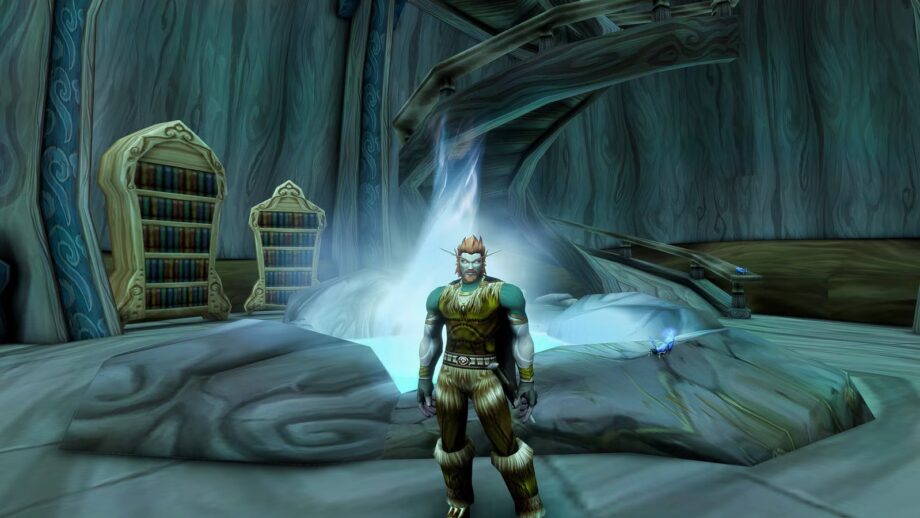
World of Warcraft: Forever uses a two‑part naming system, giving each character a main name and a secondary name. Your full name must be unique across the entire region, not just within a single realm.

That means you can reuse a main name another player has chosen, as long as the combination with your secondary name is available. The secondary name appears above your character’s head, in the portrait frame, and above any pet or minion. If you’d rather only see your main name, you can hide the secondary name.

  1. Press Escape to open the Game Menu.
  2. Select Options.
  3. Navigate to the Nameplates tab under the Gameplay header.
  4. Find My Secondary Name and uncheck the box.

After unchecking, the secondary name disappears from those UI elements immediately, without restarting the game. To show it again, return to the same menu and check the box.

Your full character name still appears in chat, and the setting applies to all characters and rulesets. If you want different visibility on different characters, you’ll need to toggle the setting each time you switch.

Why Secondary Names Are Required

In the old realm‑based version of World of Warcraft, players could use the same character name on different realms because names only needed to be unique within each realm. The new realmless structure removes that separation, making secondary names necessary to distinguish players who choose the same main name.

Think of secondary names as surnames: two characters can share a main name as long as their full names differ. This flexibility is helpful since numbers and symbols aren’t allowed in character names. You can pick a meaningful surname or a random one, and you don’t have to keep it displayed if you prefer.
Share This Article
Facebook Twitter Copy Link
Leave a comment

Leave a Reply Cancel reply

Your email address will not be published. Required fields are marked *

Gaming Mouse Black Friday: Lowest Price, Lightweight, Long Battery, Premium Build

Gaming Mouse Black Friday: Lowest Price, Lightweight, Long Battery, Premium Build

Gamers Illustrated Gamers Illustrated November 24, 2026
FacebookLike
InstagramFollow
YoutubeSubscribe
TiktokFollow

Trending

Last Pirates: Die Together – Official Xbox Game Preview Launch Trailer

Get a fresh look at pirate mayhem in this latest trailer for Last Pirates: Die…

November 24, 2026

Physicist’s Lost Text Adventure Found on Hard Drive

Magic Caves Rediscovered Early PC games were shared among engineers and hobbyists before becoming commercial.…

November 24, 2026

Grand Theft Auto 6 Sexiest Mission Highlights Male Strippers

Grand Theft Auto 6 expands its adult gameplay Grand Theft Auto 6 removes the series’…

November 24, 2026
Gaming Hardware

Valve Announces Imminent Steam Frame Headset Launch

Valve Announces Imminent Steam Frame Headset Launch

Steam Frame: Leaks, Details, and What to Expect Valve’s upcoming VR headset, long rumored as the “Steam Frame,” may finally be on the horizon. After years of speculation, Gabe Newell…

Gamers Illustrated August 23, 2026

Your may also like!

Skyrim Hit Because of Oblivion Knowledge, Lead Designer Claims
Gaming News

Skyrim Hit Because of Oblivion Knowledge, Lead Designer Claims

Gamers Illustrated November 9, 2026
You Can See Everything: First Reviews Trigger Stress
Entertainment

You Can See Everything: First Reviews Trigger Stress

Gamers Illustrated October 16, 2026
So Is The $100 GTA 6 Ultimate Edition Worth It?
Industry News

So Is The $100 GTA 6 Ultimate Edition Worth It?

Gamers Illustrated November 21, 2026
How To Play GTA 6 Early on PS5, Xbox Series X/S
Guides & Tips

How To Play GTA 6 Early on PS5, Xbox Series X/S

Gamers Illustrated November 17, 2026

Welcome to Gamers Illustrated, your destination for everything happening in the world of gaming. From the latest gaming news and honest game reviews to industry updates, trending stories, and gaming entertainment, we bring together the stories that matter most to players and gaming enthusiasts.

Quick Links

  • About Us
  • Contact Us
  • Terms & Conditions
  • Privacy Policy

Categories

  • Entertainment
  • Features
  • Game Reviews
  • Gaming Hardware
  • Gaming News
  • Guides & Tips
  • Industry News
  • Opinions
  • Trending
  • Videos

Our Newsletter

Subscribe Us To Receive Our Latest News Directly In Your Inbox!!

We don’t spam! Read our privacy policy for more info.

Check your inbox or spam folder to confirm your subscription.

© Copyright 2026. All Rights Reserved By Gamers Illustrated.
Welcome Back!

Sign in to your account

Register Lost your password?