
By using this site, you agree to the Privacy Policy and Terms of Use.
Accept
Gamers Illustrated
  • Home
  • Gaming News
  • Game Reviews
  • Industry News
  • More
    • Opinions
    • Gaming Hardware
    • Trending
    • Guides & Tips
    • Entertainment
    • Features
    • Videos
Reading: How To Play With Friends In Call of Duty: Modern Warfare 4
Font ResizerAa
Gamers IllustratedGamers Illustrated
  • Entertainment
  • Features
  • Game Reviews
  • Gaming Hardware
  • Gaming News
  • Guides & Tips
  • Industry News
  • Opinions
  • Trending
  • Videos
Search
  • Home
  • Gaming News
  • Game Reviews
  • Industry News
  • More
    • Opinions
    • Gaming Hardware
    • Trending
    • Guides & Tips
    • Entertainment
    • Features
    • Videos
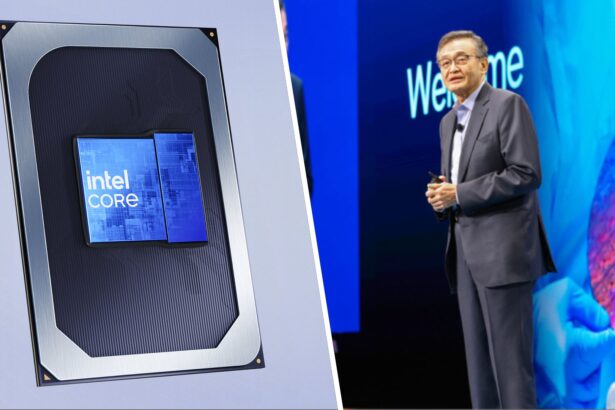
Intel shifts Panther Lake to data centers, memory crisis hits PCs

Intel shifts Panther Lake to data centers, memory crisis hits PCs

Gamers Illustrated Gamers Illustrated October 30, 2026
  • About Us
  • Contact Us
  • Terms & Conditions
  • Privacy Policy
© Copyright 2026. All Rights Reserved By Gamers Illustrated.
Gamers Illustrated > Blog > Trending > How To Play With Friends In Call of Duty: Modern Warfare 4
Trending

How To Play With Friends In Call of Duty: Modern Warfare 4

Gamers Illustrated
Last updated: October 28, 2026 6:40 pm
By Gamers Illustrated 2 Min Read
Share
How To Play With Friends In Call of Duty: Modern Warfare 4
SHARE

Playing with Friends in Modern Warfare 4

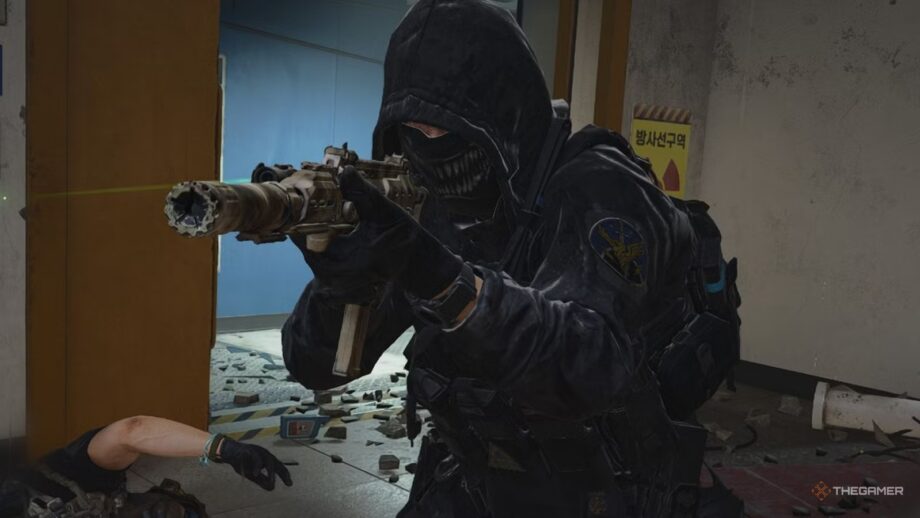
Call of Duty: Modern Warfare 4 is enjoyable solo, but the experience becomes even richer when you team up with friends. Coordinating squads, reviving each other, or watching a buddy rush into enemy fire adds a layer of fun that solo play can’t match.

How to Add Friends and Party Up

To play together you need to add friends through your Activision account, which works across the supported platforms. Open Modern Warfare 4, go to the Social menu, choose “Add Friends,” and enter your friend’s Activision ID. Send the request, wait for them to accept, then locate their name in your friends list. Select the friend and send a party invitation. Once everyone is in the party, launch Multiplayer or DMZ and start playing. Double‑check the ID for any numbers or characters; if you can’t find a friend, ask them to verify their full ID.

Is Modern Warfare 4 Crossplay?

Yes, Modern Warfare 4 supports crossplay, letting players on PlayStation 5, Xbox Series X/S, PC, and Nintendo Switch 2 join the same matches. To make it work, add each other through Activision and ensure cross‑platform matchmaking is enabled in the game settings.

Adjusting Crossplay Settings

Changing crossplay is straightforward. On PlayStation 5, open the game’s Settings, go to Account & Network, and toggle the crossplay option. Xbox players adjust the setting in the console’s Settings under Online Safety & Family, then Privacy & Online Safety, selecting Communication & Multiplayer to modify cross‑network play. PC users cannot turn crossplay off—it is enabled by default. Making sure both players have the latest game version and that crossplay is turned on in the respective platform settings will resolve most connection issues.

Share This Article
Facebook Twitter Copy Link
Leave a comment

Leave a Reply Cancel reply

Your email address will not be published. Required fields are marked *

Sam Altman: DRAM Belongs in Data Centers, Not PCs

Sam Altman: DRAM Belongs in Data Centers, Not PCs

Gamers Illustrated Gamers Illustrated October 31, 2026
FacebookLike
InstagramFollow
YoutubeSubscribe
TiktokFollow

Trending

Metro 2039 – Official Pre-Order Trailer

Check out the Pre-Order Trailer for Metro 2039, the upcoming installment in the first-person action…

October 31, 2026

Kingdom Hearts Tarzan Level Set to Crash

One-Month Check-In on Kingdom Hearts It’s been a month since I began Kotaku’s year‑long Kingdom…

October 31, 2026

Gorey Cult PC-98 Zombie Game Re-animated on Steam

Dead of the Brain Returns International fans have long treated the PC‑88 and PC‑98 computers…

October 31, 2026
Gaming News

Reddit Announces Logged‑In Only Experience, Sign‑In Required

Reddit Announces Logged‑In Only Experience, Sign‑In Required

Reddit Moves to a Logged‑In Only Experience Reddit will become a logged‑in only experience, and the company plans to move fast, beginning testing soon in regions outside the US before…

Gamers Illustrated October 30, 2026

Your may also like!

Control Resonant – Essential Combat Guide and Tips
Videos

Control Resonant – Essential Combat Guide and Tips

Gamers Illustrated October 13, 2026
Alien: Isolation 2 Interview Unveils Fresh Gameplay Insights
Opinions

Alien: Isolation 2 Interview Unveils Fresh Gameplay Insights

Gamers Illustrated October 28, 2026
Kratos Actor Slams God of War TV Show – IGN Daily Fix
Videos

Kratos Actor Slams God of War TV Show – IGN Daily Fix

Gamers Illustrated August 18, 2026
Assassin’s Creed Black Flag Resynced Remake Revives High‑Seas Action
Game Reviews

Assassin’s Creed Black Flag Resynced Remake Revives High‑Seas Action

Gamers Illustrated August 21, 2026

Welcome to Gamers Illustrated, your destination for everything happening in the world of gaming. From the latest gaming news and honest game reviews to industry updates, trending stories, and gaming entertainment, we bring together the stories that matter most to players and gaming enthusiasts.

Quick Links

  • About Us
  • Contact Us
  • Terms & Conditions
  • Privacy Policy

Categories

  • Entertainment
  • Features
  • Game Reviews
  • Gaming Hardware
  • Gaming News
  • Guides & Tips
  • Industry News
  • Opinions
  • Trending
  • Videos

Our Newsletter

Subscribe Us To Receive Our Latest News Directly In Your Inbox!!

We don’t spam! Read our privacy policy for more info.

Check your inbox or spam folder to confirm your subscription.

© Copyright 2026. All Rights Reserved By Gamers Illustrated.
Welcome Back!

Sign in to your account

Register Lost your password?