

Unlocking First‑Person Aiming in GTA 6
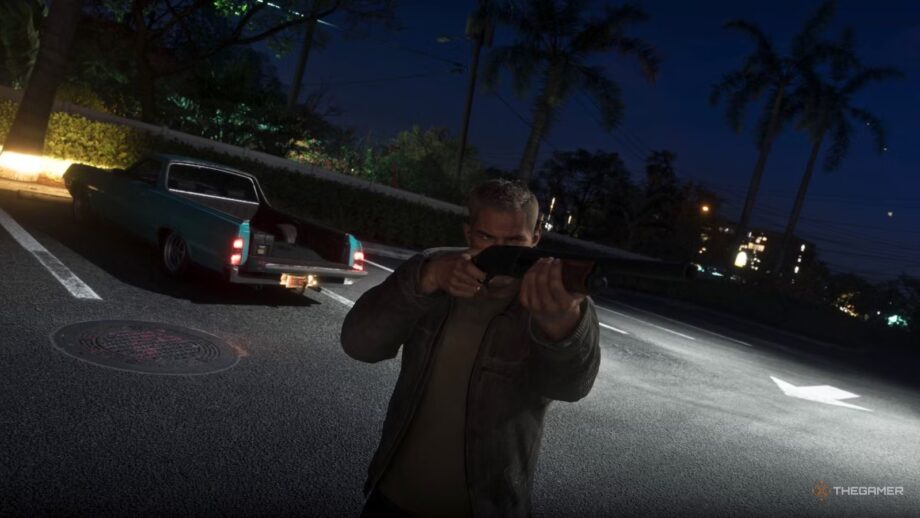
One of the biggest questions about Grand Theft Auto 6 was whether it would include a full first‑person mode like Red Dead Redemption 2. The game does not offer a complete first‑person perspective, but players can add a simple aiming view to their weapons. To do this, start the game and get into free‑roaming mode, then go to any Ammu‑Nation store (the handgun icon on the map). A store is conveniently located near Jason’s home in the Keys and is required for an early story mission, so you’ll inevitably visit one. Inside, purchase any firearm you like and select the Optics attachment. The most basic optic costs only $65 and works with virtually every gun type. After buying the optic, press R3 while aiming to switch to first‑person aiming. Although it isn’t the full first‑person mode fans wanted, it lets you view combat more closely.
Entering First‑Person View Without a Weapon
If you want to look at the world from Jason or Lucia’s perspective without drawing a gun, you can use the inspect function. With no weapon equipped, hold L2 on PS5 (or LT on Xbox) and press the right stick inward to “Inspect.” This puts you into a limited first‑person aiming mode that lets you scan the environment, talk to NPCs, or watch events in Vice City. You can’t move around in this view, but it provides a closer look and adds a bit of immersion. While still not a true first‑person mode, it’s the best alternative currently available in GTA 6.